Evaluation Kits
Alp Lab ships two evaluation kits, one per form factor. Both EVKs double as reference designs that customer boards can fork — most production boards inherit ~80 % of the EVK's chip population.
| EVK | Form factor | Hosts | Reference |
|---|---|---|---|
| E1M EVK | 35 × 35 board | E1M-AEN family, E1M-N93 family | docs/boards/e1m-evk.md |
| E1M-X EVK | 45 × 65 board | E1M-X V2N family, V2N-M1 family | docs/boards/e1m-x-evk.md |
E1M EVK (UG-E1M-001)
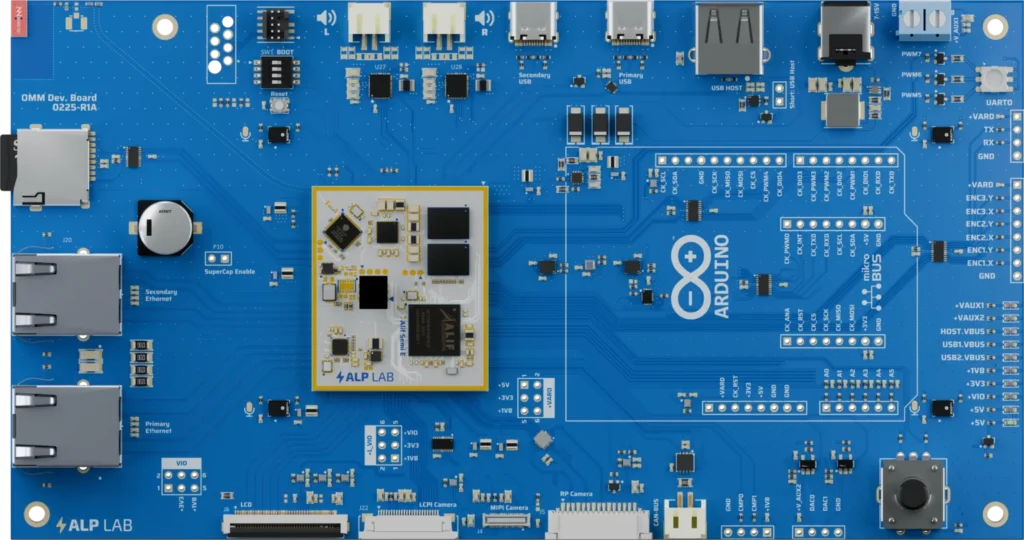
The 35 × 35 mm board hosts AEN and i.MX 93 family modules. Populated peripherals include:
- 6-axis IMU (
lsm6dso), 3-axis accelerometer (lis2dw12), gyroscope (bmi323,icm42670) - Barometric pressure sensor (
bmp581) - Current monitors (
ina236) — see the+V_CAM0address note below - Temperature sensor (
tmp112) - I/O expander (
tcal9538) - Monochrome OLED (
ssd1306), small colour OLED (ssd1331) - Camera (
ov5640MIPI CSI +cam_mux) - Speaker amp (
tas2563), PDM microphone (pdm_mic) - Rotary encoder + RGB LED + button-LED helper
- JTAG/SWD header, BOOT/reset/module-enable
The SDK ships a board preset covering this population — declaring preset: e1m-evk in your board.yaml enables them all.
INA236 +V_CAM0 address re-strap
The +V_CAM0 current monitor — designator U32, part INA236B — sits on the shared alp-i2c0 bus (I2C0.SCL / I2C0.SDA) and is exposed to firmware as EVK_I2C_ADDR_INA236_VCAM0. Its address changes at the board respin:
| Board revision | EVK_I2C_ADDR_INA236_VCAM0 |
|---|---|
| Pre-respin (early boards) | 0x48 |
| Post-respin (from the next batch) | 0x4B — A0 re-strapped to SCL |
:::caution 0x48 collides with the TAS2563 broadcast address
0x48 is also the TAS2563 hardware broadcast page-write address. On pre-respin boards that collision makes the TAS2563 broadcast unreadable, so firmware that has to support both board revisions must issue two targeted unit-address writes instead of relying on the 0x48 broadcast.
:::
The INA236B address bank is 0x48..0x4B — the four addresses its A0 strap can select.
E1M-X EVK
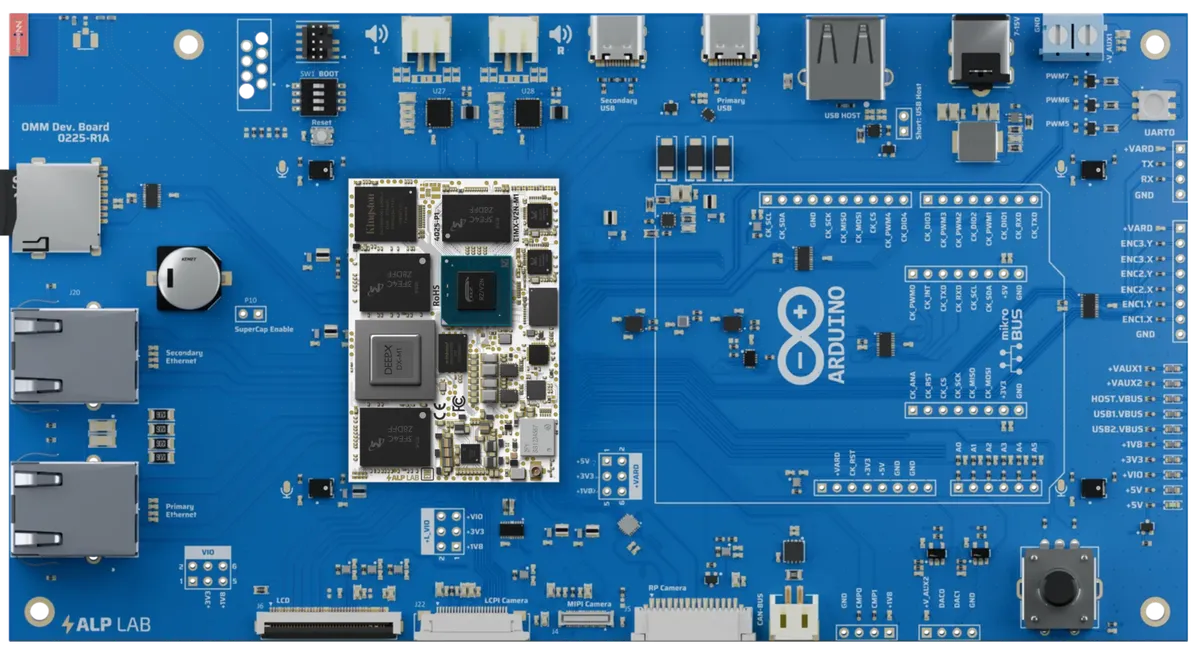
The 45 × 65 mm board hosts V2N family and V2N-M1 family modules. It exposes:
- Dual gigabit Ethernet (two RJ45 ports, both routed to the RTL8211FDI PHYs on-module)
- USB-C host + USB-C device
- Dedicated MIPI CSI-2 camera connectors (
CAM0/CAM1) — cameras attach externally; no on-board sensor or mux - Two MIPI DSI display connectors, each with a capacitive-touch panel
- Industrial-grade audio (TAS2563 + PDM mic)
- Dual CAN-FD transceivers (
CAN0/CAN1) - Header-broken-out PWM channels (driven by the V2N's on-module GD32 supervisor)
- microSD slot, JTAG header
Declare preset: e1m-x-evk to pick up the populated chip list.
Using an EVK as a reference design
Two patterns to fork the EVK preset for a custom board:
(a) Reference + override (small derivatives)
Drop the preset: line and write the board out inline at the top level, copying the EVK file as a starting point:
cp metadata/boards/e1m-evk.yaml my-app/board-fragment.yaml
Then paste the name:, populated:, e1m_routes: blocks from board-fragment.yaml into your project's board.yaml, change name: to your own, and edit the deltas (drop chip rows you don't populate, add the rows for chips you do, edit the e1m_routes: entries to reflect your schematic).
som:
  sku: E1M-AEN801

name: my-derived-board

populated:
  lsm6dso: true
  bmp581:  true
  ssd1306: true
  tas2563: false   # production board has no speaker amp
  ina236:  false   # no current monitors

e1m_routes:
  # … paste from e1m-evk.yaml and edit per your schematic …
(b) Fork the board preset (full custom boards)
Same pattern, but keep the YAML in the SDK tree if you want it shared across multiple projects:
cp metadata/boards/e1m-evk.yaml metadata/boards/my-board.yaml
$EDITOR metadata/boards/my-board.yaml
Then in board.yaml:
preset: my-board
See board.yaml reference for the full schema.
Ordering
Request a Dev Kit to receive an EVK paired with a SoM of your choice.